Reviewing the auto-categoriser
This cycle, we took a closer look at how our auto-categoriser works alongside bank sync to sort your income and expenses into the right categories automatically.
Here’s the gist: stub looks at the reference on your bank transactions and decides which category they belong to. So if you filled up at Sasol, we’ll pop that into "Fuel" for you. But we know you guys are full of surprises; some of you are buying lunch from Checkers, others are picking up printers. That’s where things get tricky.
Previously, stub might’ve seen “Checkers” and assumed it was "Meals & Entertainment", missing that it could’ve been "Office supplies" or "Personal Expenses". It was time to tighten things up.
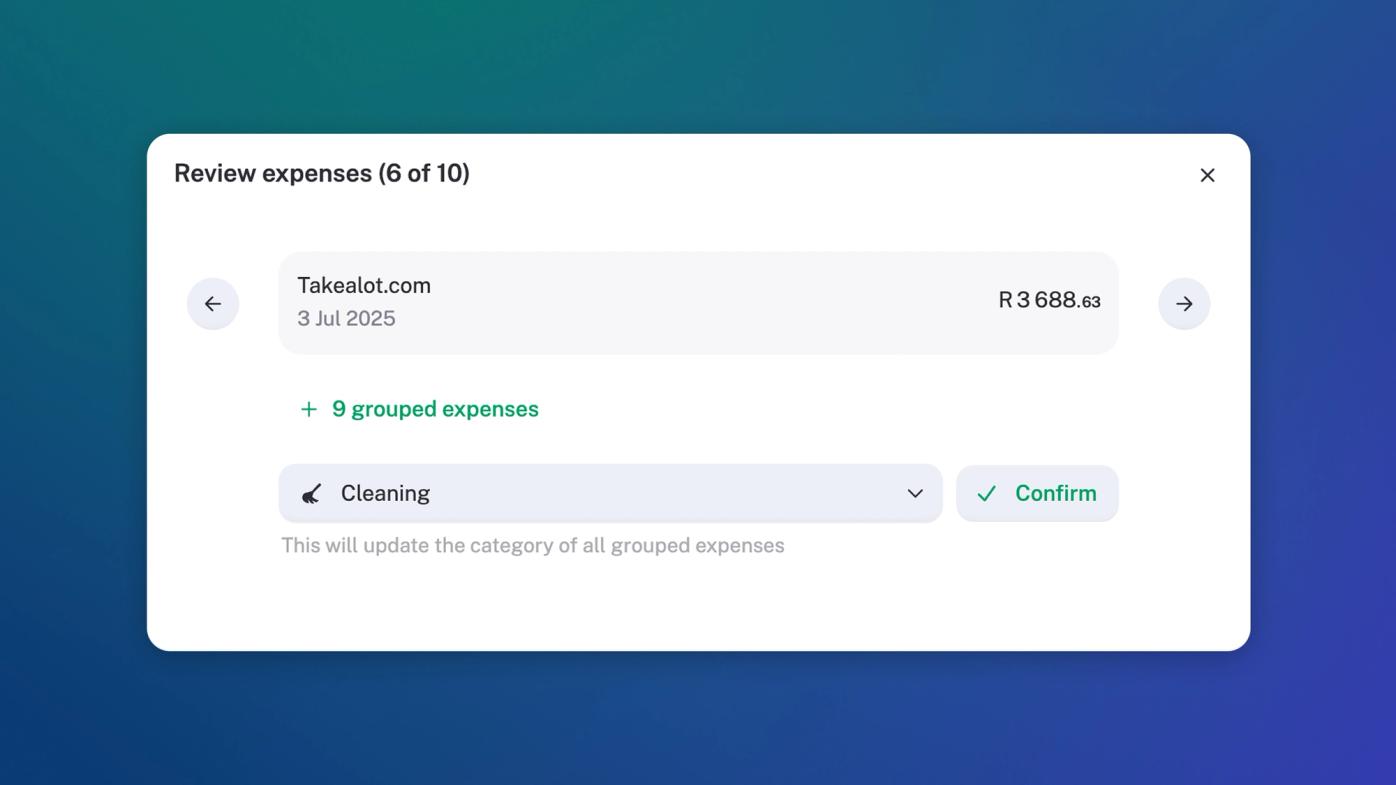
So we made stub smarter. We’ve introduced what we call the Autocat Reviewer (we haven't been calling it this, but it needed a bold name for its spot on the change log). When stub sees a new transaction, or a batch of similar ones, we’ll ask you to take a quick look, confirm the category, and we’ll remember it for next time.
If we’ve guessed wrong, please correct it. (Seriously. Please).
This makes categorising faster, easier, and more accurate. Exactly what you need.
Improvements
Personal income and expense transactions: We’ve learnt that personal transactions in your business’s financials are a reality. Sometimes we mix and match, and that’s okay. You can now categorize personal transactions, and they will be allocated correctly to your personal drawings account (more on this, coming soon).
Transactions: You can now filter your transactions by bank account in the transaction report, making them a lot easier to sort through.
Apps section: We've improved the way you can manage your connected apps in stub. No biggie, just better.
Insights: We've improved the speed of stub insights, so your insights dashy should feel quicker. Pow pow.
Fixes
Dark Mode: When clicking on links in the stub guide with dark mode enabled, stub changed to light mode (think disco disco). This has now been fixed.
Invoicing:
- Sending invoices to multiple email addresses: You may not have figured out this trick in stub yet, but for those who have, they quickly let us know it no longer works. So we added it back.
- Downloading your invoice as a PDF now reflects all the recent changes that we made to invoices in the last cycle, this includes ordering your products and services the way you’d like (you do you, boo).
Reports: The date filtering in reports has been fixed based on selected timeframes (filter how you’d like).