Introducing inventory
Over the last couple of cycles, we’ve been chipping away at a big feature that changes the game. And we can finally share it with you.
If you sell physical products — think candles, kicks, or crafts — you’ve probably been tracking stock in your head (or worse, in a spreadsheet). Now, you don’t have to.
You'll now be able to:
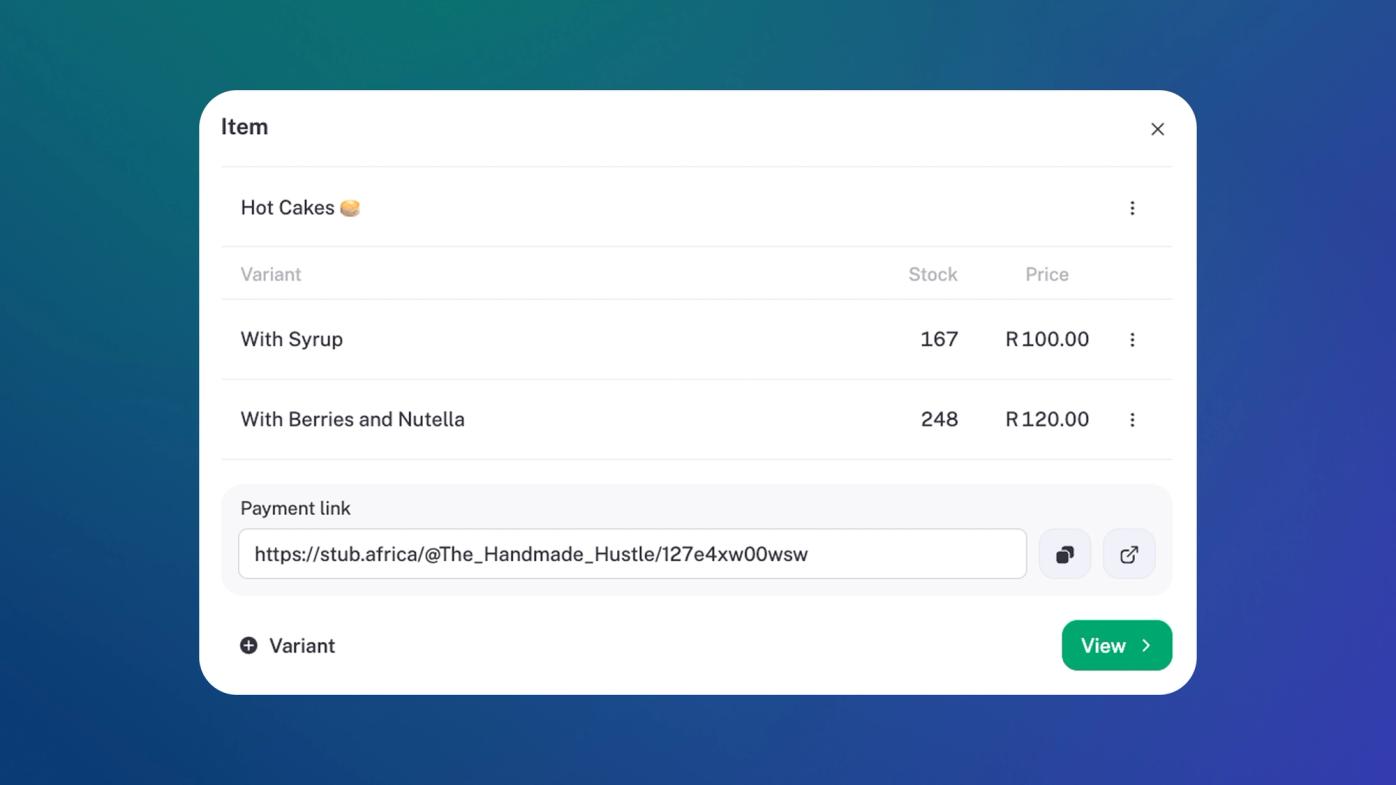
- Track stock levels per variant (e.g., sizes, colors, styles, etc.)
- See how much stock you have left in real time
- Track where your stock is going (sold, received, lost, broken - you tag it, we track it)
It works seamlessly with invoices and your product links in stub, you sell, we decrease that stock level for you.
We’ve kept it simple - because that’s the whole point of stub. (Also, if you’re tracking stock with a scanner in a big warehouse, this one's not for you; you stay where you are).
We’re just getting started: next up, we’ll bring in purchase orders, COGS tracking, and low-stock alerts. But for now, go forth and organise those shelves.
Improvements
Infrastructure improvements: Updates have been made to our infrastructure to handle bigger businesses. This makes our ability to handle big batches of data easier to keep stub its speedy self (500 sales a day, we've got you).
Observability: We keep cleaning our shades, making sure nothing can happen without us being on top of it.
Fixes
Interaccount transfers: No more accounting handstands to make sure your interaccount transfers reconcile correctly. We fixed this by creating a transfer category (easy as pie). This one’s for you, Manon!
Capitec sync: A sneaky bug stopped some bank syncs from triggering correctly. We found the culprit and synced it back up (sprays Doom on bug).